Documentation Index
Fetch the complete documentation index at: https://docs.keystn.com/llms.txt
Use this file to discover all available pages before exploring further.
Overview
This module analyzes all loans with a funded date set, regardless of their current status. It is the primary view for understanding your production history and identifying trends.
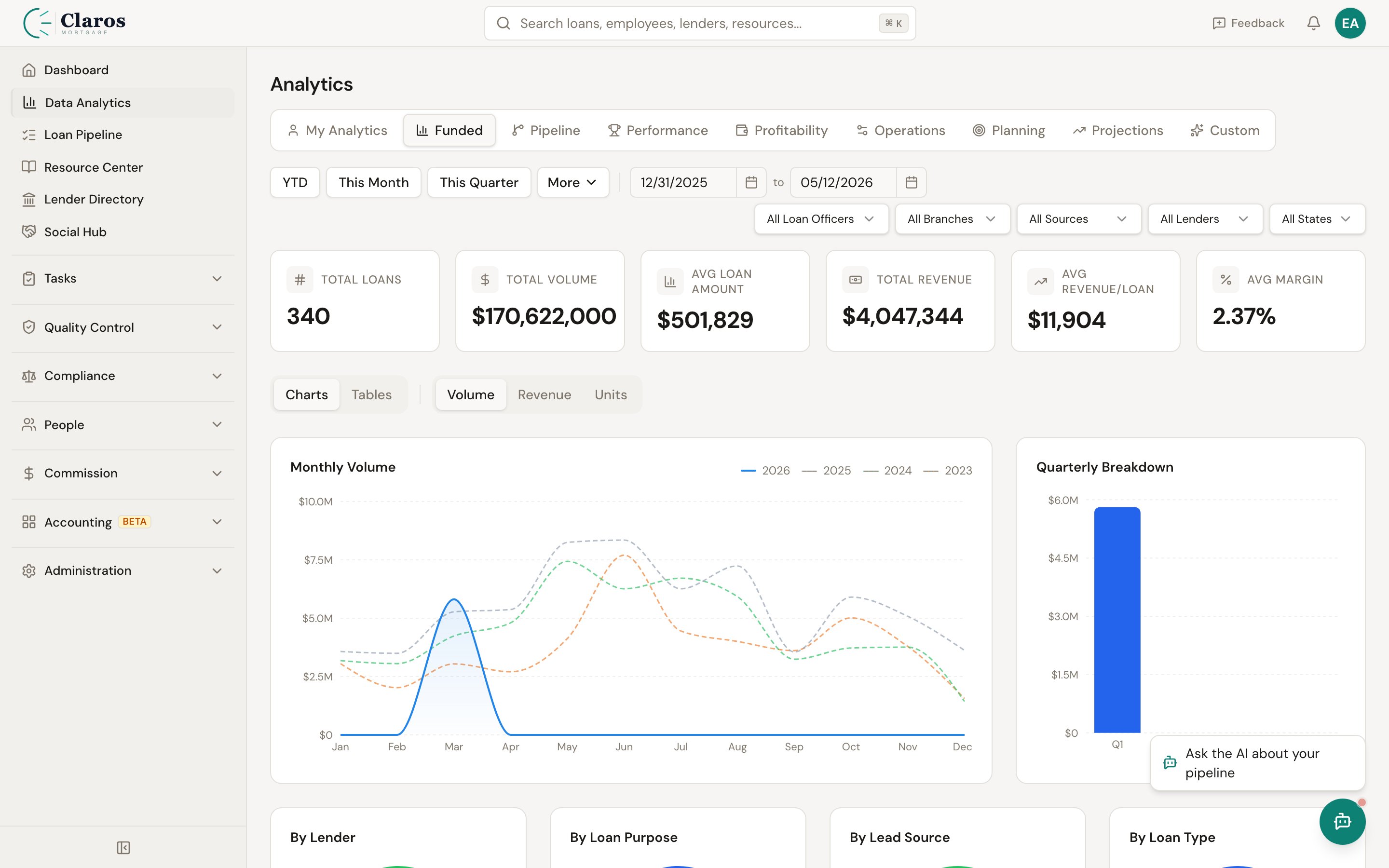
Summary KPIs
The top of the dashboard displays five key metrics for the selected period, each with a percentage change compared to the prior period of equal duration:
| Metric | Description |
|---|
| Total Loans | Number of loans funded in the period |
| Total Volume | Sum of all funded loan amounts |
| Avg Loan Amount | Average loan size (Total Volume / Total Loans) |
| Total Revenue | Sum of broker compensation across all funded loans |
| Avg Revenue/Loan | Average broker compensation per loan |
Period-over-Period Comparison
When you set a date range, the system automatically calculates the prior period of the same duration. For example, if you select January 1 through March 31, the comparison period is the preceding October 1 through December 31. Each KPI shows the percentage change from the prior period, making it easy to spot growth or decline.
Breakdown Views
The funded dashboard breaks down loan data across five dimensions:
| Breakdown | Description |
|---|
| By Lender | Volume, units, revenue, and percentage of total grouped by lender |
| By Loan Purpose | Purchase vs. Refinance breakdown |
| By Lead Source | Which lead sources are driving the most funded volume |
| By Loan Type | Conventional, FHA, VA, USDA, etc. |
| By Loan Officer | Per-LO funded production |
- Name — The category (lender name, loan type, etc.)
- Units — Number of funded loans
- Volume — Total dollar volume
- Revenue — Total broker compensation
- % of Total — This category’s share of the total loan count
Monthly Trend Charts
Multi-year monthly trend charts let you compare production across years. The system detects all years present in your data and overlays them on the same chart, so you can spot seasonal patterns and year-over-year growth.
Three chart views are available:
| Chart | Description |
|---|
| Monthly Volume | Loan volume by month, with a line for each year |
| Monthly Revenue | Broker compensation by month, with a line for each year |
| Monthly Units | Loan count by month, with a line for each year |
Quarterly Breakdown
The quarterly view aggregates funded data for the most recent year into four quarters:
| Column | Description |
|---|
| Quarter | Q1, Q2, Q3, or Q4 |
| Volume | Total funded loan volume |
| Revenue | Total broker compensation |
| Units | Number of funded loans |
LO Efficiency Metrics
The loan officer efficiency table measures how quickly each LO moves loans through the pipeline from submission to funding.
| Metric | Description |
|---|
| Name | Loan officer’s full name |
| Avg Submission to CTC | Average days from Submitted to UW to Clear to Close |
| Avg CTC to Funded | Average days from Clear to Close to Funded |
| Avg App to Funded | Average days from App Intake to Funded (full cycle time) |
| Total Loans | Number of funded loans for this LO |
Filtering
Funded loan analytics support filtering by:
- Date Range — Start and end dates to scope the analysis period
- Loan Officer — Filter to a specific LO’s funded production

